For ERP partners, IT providers and integrators
A plan your clients can promise from, without touching their ERP
You know the plant and its ERP. We run the planning product. Together, a job shop goes from a day of spreadsheets to an approved answer.
Onboarding a plant
Four steps, all outside the ERP
1
Schedule the exports
The CSV reports the ERP already makes. Any ERP that can schedule reports.
2
Confirm the mapping
Unbrick drafts it from the files; you answer its open questions with the plant. Unmapped codes stop the load.
3
Check at the plant
The connector validates every table, count and checksum. A broken export never leaves the building.
4
Push nightly
On a schedule, with a key for that plant. Every push is on record in Unbrick.
Who does what
| Partner | Unbrick | |
|---|---|---|
| Find the ERP reports, schedule the export | ✓ | advise |
| Answer mapping questions with the plant | ✓ | draft the mapping |
| Install and schedule the connector | ✓ | runbook |
| First-line questions from the plant | ✓ | second line |
| Hosting, updates, backups (hosted) | ✓ | |
| Planning engine, product, roadmap | ✓ |
Try it this week
- Your own account on the partner sandbox, rebuilt every night
- A partner kit: synthetic ERP exports and the mapping Unbrick drafts from them
- A connector key, so you can push your own test exports
What your clients see
The demo that sells the project
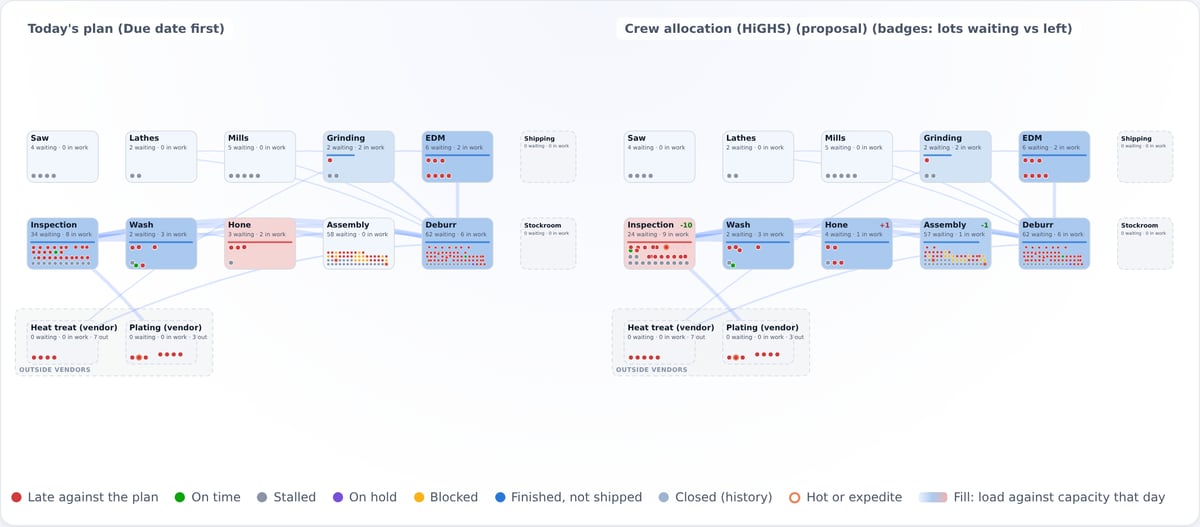
Once the nightly load runs, the plant manager can watch their own shop on the plant map, follow a late order to the lot that sets its date, and try a solver’s proposal on the whole plan. That conversation is a lot easier than the one about another report.
- Plant map, order journeys, sequence board, staffing scenarios
- Plan engines with open-source solvers, running inside the deployment
- All from the same exports you set up, with nothing written back