On top of your ERP, never inside it
Your ERP stays the system of record. Unbrick reads a nightly copy of its reports, checks it, and plans the shop forward from today.
Your ERP
Scheduled CSV reports it already knows how to make: items, jobs, routings, labor, orders.
Plant connector
A small program next to the exports. It checks each night’s files and pushes them out over HTTPS.
Unbrick
Refuses stale or partial data, then plans finite capacity forward and keeps every result traceable.
Your team
Planner, approver, supervisors and the floor, each with their own sign-in and role.
What happens between the export and the morning
Export
The ERP writes its scheduled reports to a folder, as it does today.
Check at the plant
The connector maps the files, checks every table, count and checksum, and stops if anything is broken.
Check again, then plan
Unbrick refuses stale, partial or repeated loads. A good load is planned forward with finite capacity.
Ready by morning
Today’s plan, the brief for each role, and any customer review in progress, all from last night’s data.
If the export breaks, nothing half-loaded is ever shown. Yesterday’s plan stays current, every screen says the data is not from today, and Data health says why.
We tell you what the model doesn’t know
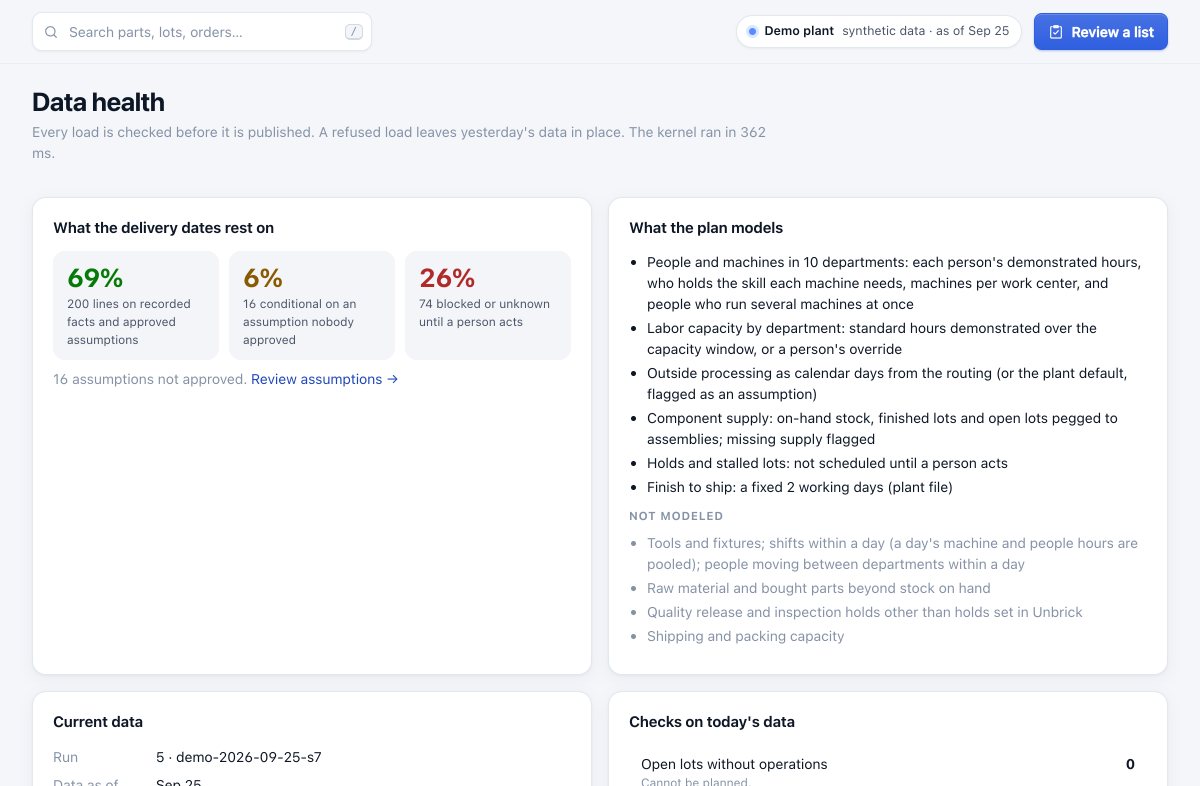
The plan schedules labor from the hours your people actually log: by department to start, or person by person once your records name who ran what. Then it plans each person’s hours, the skill each machine needs, how many machines each work center has, and people who run two machines at once. It treats outside processing as calendar days, plans component supply from stock, finished lots and open lots, and keeps held and stalled lots out until a person acts.
What it doesn’t model is listed on screen: tooling and fixtures, raw material beyond stock on hand, quality release, and shipping capacity. Each delivery date shows how much of it rests on recorded facts and how much on assumptions.
Plug in a solver, prove it on the whole plan, then adopt it
The plan’s order of work comes from an engine. The default is a rule your planners can predict: hot, then expedite, then the earliest need date. Others plug in behind the same interface.
Propose
A slack rule, a bottleneck sequencer (Google OR-Tools CP-SAT) or crew allocation (HiGHS) suggests an order or a staffing move, and explains it.
Rerun and score
The whole plan is rerun with the proposal and compared with the plan in force: lines on time, days late, frozen-window changes.
Adopt, on record
A planner adopts it with a reason. The nightly plan and every screen use it until someone changes it.
Backtest
Each engine replans your earlier days, so you see what it would have done on your own data before trusting it.
Solvers run where your data is. Open-source (Apache-2.0 and MIT), on the CPU, inside your deployment. If one cannot run, the plan falls back to the default rule and says so.
The plan, drawn as your plant
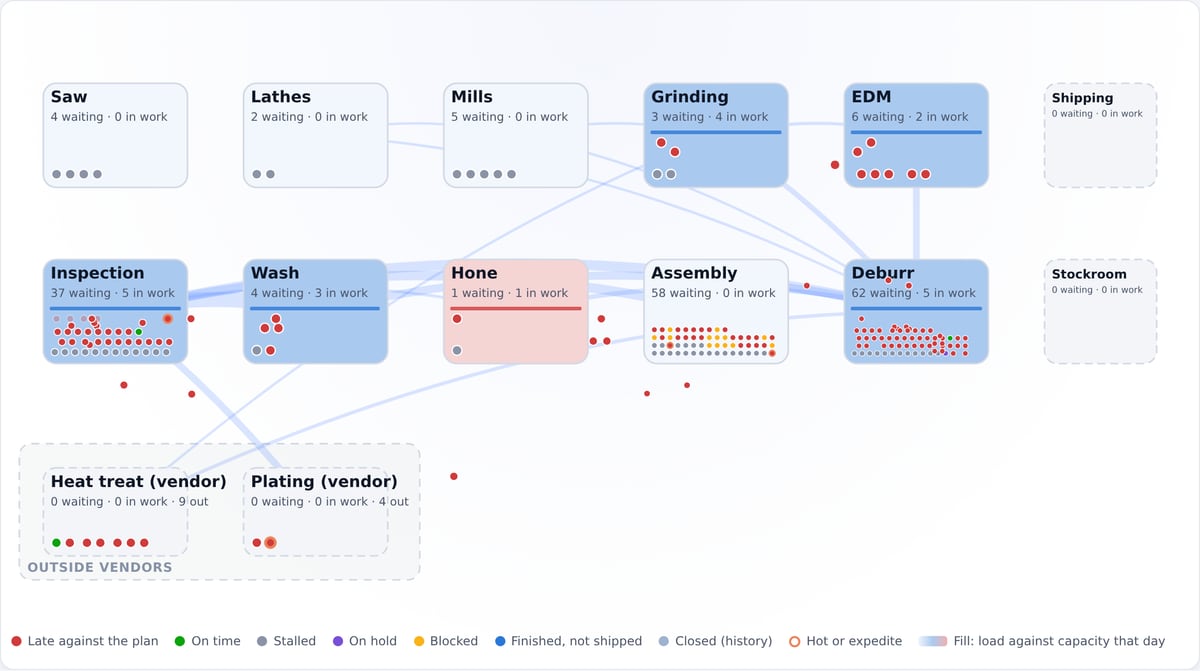
The plant map replays the last eight weeks from labor records and plays the plan forward, lot by lot. Two plans can play side by side. Every dot opens the lot behind it, and everything is drawn in your browser from your deployment.
Hosted by us, or on your server
The same software either way. Moving between them later is a backup and a restore.
Hosted by us
- Your own isolated deployment and database
- Backups, health checks and updates are ours to run
- Your address: yourplant.unbrick.ai
On your server
- Runs in containers on a server at your plant
- Your IT holds the keys and the backups
- Nothing leaves your network